App guide
The Best Family Organizer Apps in 2026, Compared Honestly
The soccer schedule is in one parent's Google Calendar, the grocery list is a text thread, and the chore chart on the fridge stopped getting checked in October. That's the normal starting point for most families looking for a family organizer app. The free options are much better than they were a few years ago, but every app makes a different trade-off, and the "best" one on a top-10 list may be the wrong one for your house.
We looked at the apps families actually use in 2026, checked their free plans and prices as of November 2026, and put Domus (our app) through the same test as everyone else. We also left out two apps that still show up in older roundups, OurHome and Picniic, because neither is available anymore.
What a family organizer app should actually do
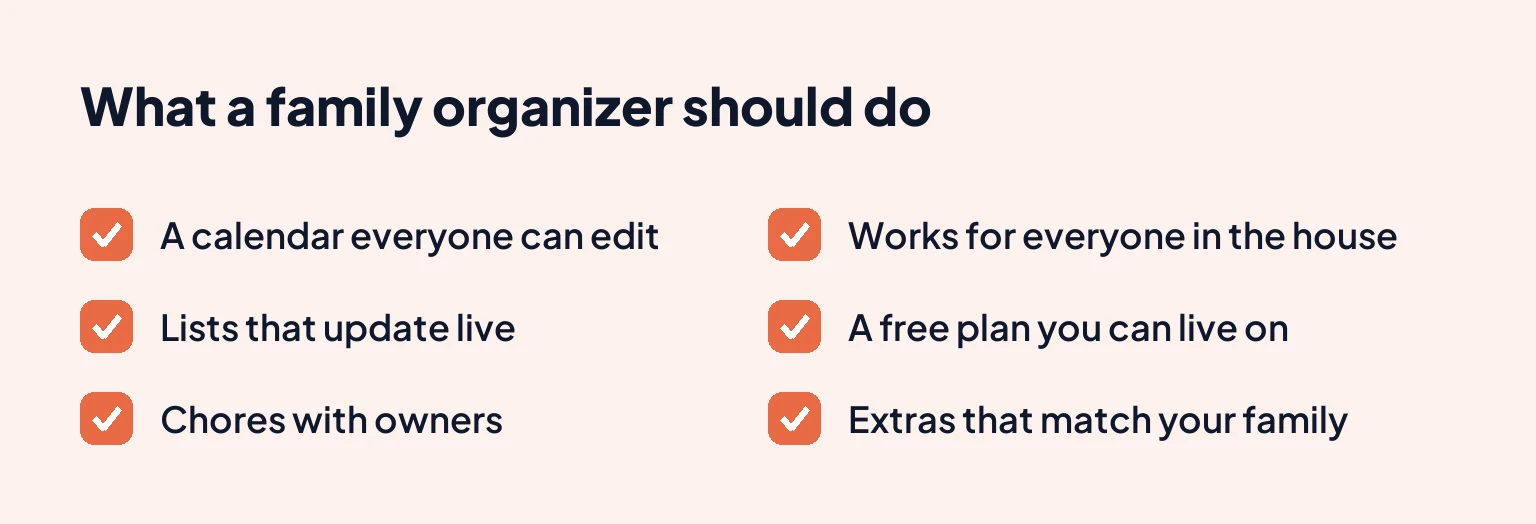
Before comparing apps, it helps to know what you're hiring one for. A family organizer is anything that keeps the household's plans and jobs in one place everyone can see. For decades that was a paper planner or a whiteboard by the door, and an app only earns its place when it does the job better than paper.
These are the criteria we used.
A calendar everyone can edit
One shared calendar, color-coded by person, where your partner can add the dentist appointment without texting you first. If only one person can update it, everyone else still has to ask that person before they make plans.
Lists that update live
The grocery list is the feature people open most. It has to sync instantly, so the person at the store sees the milk you added five minutes ago.
Chores with owners
"Someone take out the recycling" doesn't work. A good app lets you assign a job to a person and a day, and lets kids check things off themselves.
It works for everyone in the house
That means iPhone and Android in the same family, and a way to include kids who don't have phones. It also has to be simple enough that a grandparent will open it, because the app is only as current as the least-engaged person using it.
A free plan you can actually live on
Almost every app here is freemium, so what matters is where the paywall sits. Ads in a free plan are annoying but livable. A cap on how far ahead you can plan, or a paywall on the one feature you'd use daily, will push you to pay within a few months.
The extras that match your family
Meal planning, location sharing, shift schedules, budgets and a wall display are all nice to have. Pick the app whose extras match your actual problem, and ignore the ones you'd never open.
The quick comparison
Prices are US list prices as of November 2026. They can differ by country and change at any time, so check the app store before you subscribe.
| App | Best for | Free plan | Paid plan |
|---|---|---|---|
| Cozi | Families who want a simple calendar and grocery list | Calendar, lists, recipes, meal scheduling; ads; events limited to the next 30 days | Gold $39/yr, Max $79.99/yr |
| FamilyWall | Families who want location sharing and a family feed | Calendar, lists, tasks, recipes, messaging, photos, contacts | Premium $44.99/yr or $7.99/mo |
| TimeTree | Shared calendars, especially for couples and groups | Full shared calendars, with ads | Premium $4.49/mo or $44.99/yr |
| Domus | Families who want chores, meal plans and rotating shifts next to the calendar | Calendar, lists, chores, recipes, this week's meal plan, chat | Plus and AI Plus (whole circle) |
| Google Calendar + Keep | Families who already live in Google | Everything; family group up to 6 people | None needed |
| Apple Calendar + Reminders | All-iPhone families | Everything; Family Sharing up to 6 people | None needed |
| AnyList | Groceries and recipes only | Shared lists and recipes | $9.99/yr individual, $14.99/yr household |
| Skylight / Hearth | A screen on the kitchen wall | Basic app and display features | Hardware, plus an optional subscription |
The best family organizer apps, one by one
Cozi
Cozi has been around for well over a decade and is still the name most parents know. It covers the basics well: a color-coded shared calendar, unlimited shopping and to-do lists, a recipe box with meal scheduling, and an agenda email that lands in your inbox, which helps when one parent prefers email to opening another app. Since April 2025 there's also Cozi Chores, in the Lists tab, which gives each family member their own chore list for free, with chores that repeat daily or weekly.
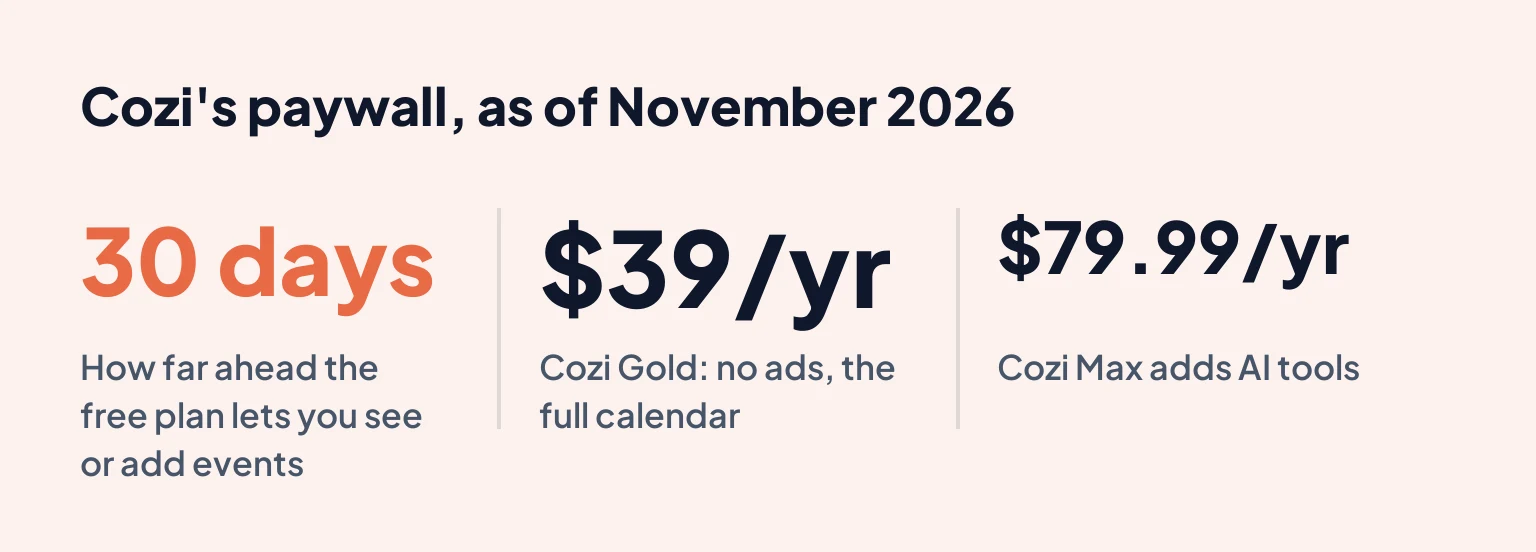
The catch is the free plan. As of November 2026, Cozi's App Store listing says adding, editing and viewing events more than 30 days ahead is part of Cozi Gold. So is the month view on mobile. The free app also shows ads. For a family that books summer camp in March, that 30-day window gets old quickly.
Cozi Gold costs $39 a year and removes the ads, adds the full calendar, up to three reminders per event, change notifications and a birthday tracker. Cozi Max, at $79.99 a year, adds AI tools that pull events from emails and build meal plans.
Best for: families who want the most familiar option, with a calendar and grocery list that a grandparent can figure out in five minutes. Not for: anyone planning months ahead who doesn't want to pay, or families who want chore rewards for kids.
If you're weighing Cozi against us specifically, our Domus vs Cozi guide goes feature by feature, and our roundup of Cozi alternatives looks at the wider field.
FamilyWall
FamilyWall feels more like a private social network for the family. The free plan is generous on the social side: a shared calendar, shopping and task lists, recipes, a message feed, a photo gallery and a family contacts directory.
Premium is where the useful planning tools sit. According to FamilyWall's own support page, it adds a budget tool, a weekly meal planner that builds shopping lists, recurring schedules for classes and activities, Google and Outlook calendar sync, real-time location sharing, document storage and 25 GB of space. As of November 2026 it's $44.99 a year or $7.99 a month on the US App Store, and it covers up to 5 circles.
That location feature is the main reason families pick FamilyWall over the others. If you want to see when your teenager gets to practice without installing a separate tracker, it's built in. We put it head to head with Cozi in a separate family app comparison.
Best for: families who want location sharing and a private place for photos and messages. Not for: families who want calendar sync or meal planning without paying, since both are Premium.
TimeTree
TimeTree is a calendar app first and last, and it's very good at that one job. You can create separate shared calendars (one for the family, one with your partner, one for the kids' soccer team), and every event has its own comment thread, so "who's driving?" gets answered right on the event instead of in a group chat.
The free version gives you the full shared calendar, with ads. Premium, at $4.49 a month or $44.99 a year as of November 2026, removes the ads and adds an hourly view and file attachments.
What TimeTree doesn't do is the rest of family life. It has memos and simple to-do lists, but no aisle-sorted grocery list, chore system or meal planner. Plenty of families pair it with a separate list app and are perfectly happy.
Best for: couples and families whose main problem is the schedule, and anyone coordinating with people outside the household, like a carpool or a team. Not for: families who want lists and chores in the same app.
Domus
Domus is our app, so read this section with that in mind. We've tried to hold it to the same standard.
Domus puts everything in a shared space called a circle. The free plan includes a shared calendar with recurring events and reminders, live grocery and to-do lists sorted by aisle, chores with assignees and a part of the day, recipes, a meal planner for the current week, habits, a group chat and a shared contacts list. Kids who don't have phones can be added as managed profiles (2 on the free plan), so you can still assign them chores. You can also share a list or the calendar with someone who doesn't have the app through a guest link that opens in their browser.
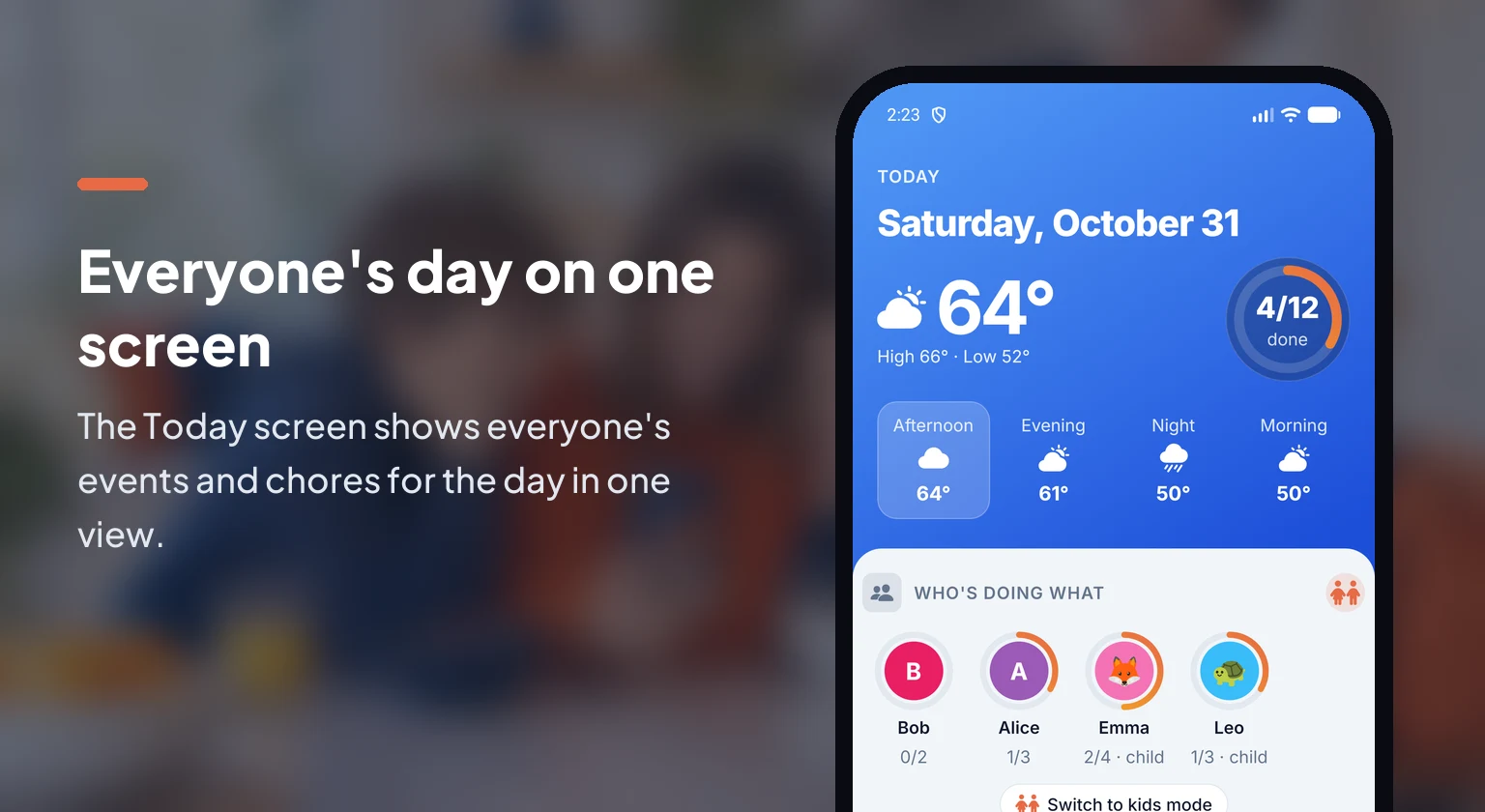
Where it differs from the others is the household side. There's a work schedule feature for shift rotations (free for this week and next, with every week ahead on Plus), which matters if a parent works nights or a 4-on-4-off pattern (we have a guide to family calendars for rotating shifts if that's you). There's also a Today screen that shows everyone's events and chores for the day in one view.
Now the parts that need Plus. Repeating chores, kids mode (which locks the phone to the kids' chore board), meal planning more than a week ahead, Split Costs, documents, family health records and pets are all part of Domus Plus. Budget and Reminders have a small free allowance before Plus. The free plan also limits you to one private and one shareable circle, with up to 10 members each. AI features, like importing a school schedule from a photo, get 3 free tries each and then need AI Plus.
Domus has no location sharing, and it's an iPhone and Android app, so families who plan from a laptop will find Cozi or Google easier. It's also newer and smaller than Cozi, with a much shorter track record.
It's a good fit if your household has a lot of moving parts and you want them in one app. If you only need a calendar, or you want location tracking, one of the others will serve you better.
Google Calendar + Google Keep
This is the free combo a lot of families already half-use. Create a Google family group (up to 6 people) and Google automatically adds a shared "Family" calendar to everyone's Google Calendar. Add a shared Google Keep note for groceries and you have the core of a family organizer without installing anything new.
It works well for a family with two adults and older kids who already use Google. It runs on any phone and on the web, it's fast, and it costs nothing.
The weak spots show up as the family grows. Google's own family calendar help page notes that you won't get a notification when another family member creates, edits or deletes an event on the family calendar, so changes can slip past you. Keep lists don't sort by aisle, and there's nowhere to assign chores. Everyone also needs a Google account.
It suits two-adult households who live in Gmail and want something free today. Families who want chores or meal plans, or whose kids need a simpler view, will outgrow it.
Apple Calendar + Reminders (Family Sharing)
Apple's version is the same idea. Turn on Family Sharing (up to 6 people) and you get a shared Family calendar and a shared reminders list on every member's device. Reminders handles grocery lists nicely, and Siri can add to them hands-free while you're cooking.
Family Sharing also covers location through Find My, so all-iPhone families get that for free too. The limit is that it's Apple only, and one Android phone in the house (a teenager's or a co-parent's) leaves that person out of the calendar and the list.
All-iPhone families who want zero setup should start here.
AnyList (for groceries and recipes)
AnyList isn't a full family organizer, but it shows up in these comparisons because its grocery list is excellent. Items sort into aisle categories, lists share instantly, and recipes add their ingredients to the list in one tap. The free version covers shared lists and recipes. We compare it with the other grocery list apps for families in a separate guide.
AnyList Complete costs $9.99 a year for one person or $14.99 a year for a household as of November 2026. It adds a meal-planning calendar, recipe photos and scaling, running price totals while you shop, and access on a computer and Apple Watch.
Best for: the family's designated cook and shopper, often paired with Google Calendar or TimeTree. Not for: anyone looking for a calendar or chores.
Skylight and Hearth (wall displays)
Some families want the organizer on the kitchen wall instead of in a phone. Skylight and Hearth both sell touchscreen displays that show the family calendar, chores and lists, with a companion app for adding things on the go. Skylight syncs with Google, Outlook, iCloud and Cozi calendars.
They're great for younger kids, who can see what's happening today and tap off their chores without a phone. The trade-off is cost. The screens run a few hundred dollars, Skylight charges a subscription for extras like meal planning, chore rewards and event import from emails or flyers, and Hearth sells its own plan.
Best for: families with kids under 10 who respond to a big visible board. Not for: anyone who wants to try something free first. A phone app will tell you whether your family sticks with a shared calendar before you spend money on a screen.
Apps that are gone (or changed)
You'll still see two names in older "best of" lists:
- OurHome, the chore-and-points app many families used for kids, hasn't been updated in years and the original app is no longer available. A different, unrelated app now uses the name.
- Picniic, an all-in-one family app, no longer works and has left the app stores.
If you used OurHome for kids' chores and points, look for an app with assigned chores and some kind of reward, like a Skylight display (chore rewards need its paid plan) or Domus (its repeating chores and kids mode are part of Domus Plus).
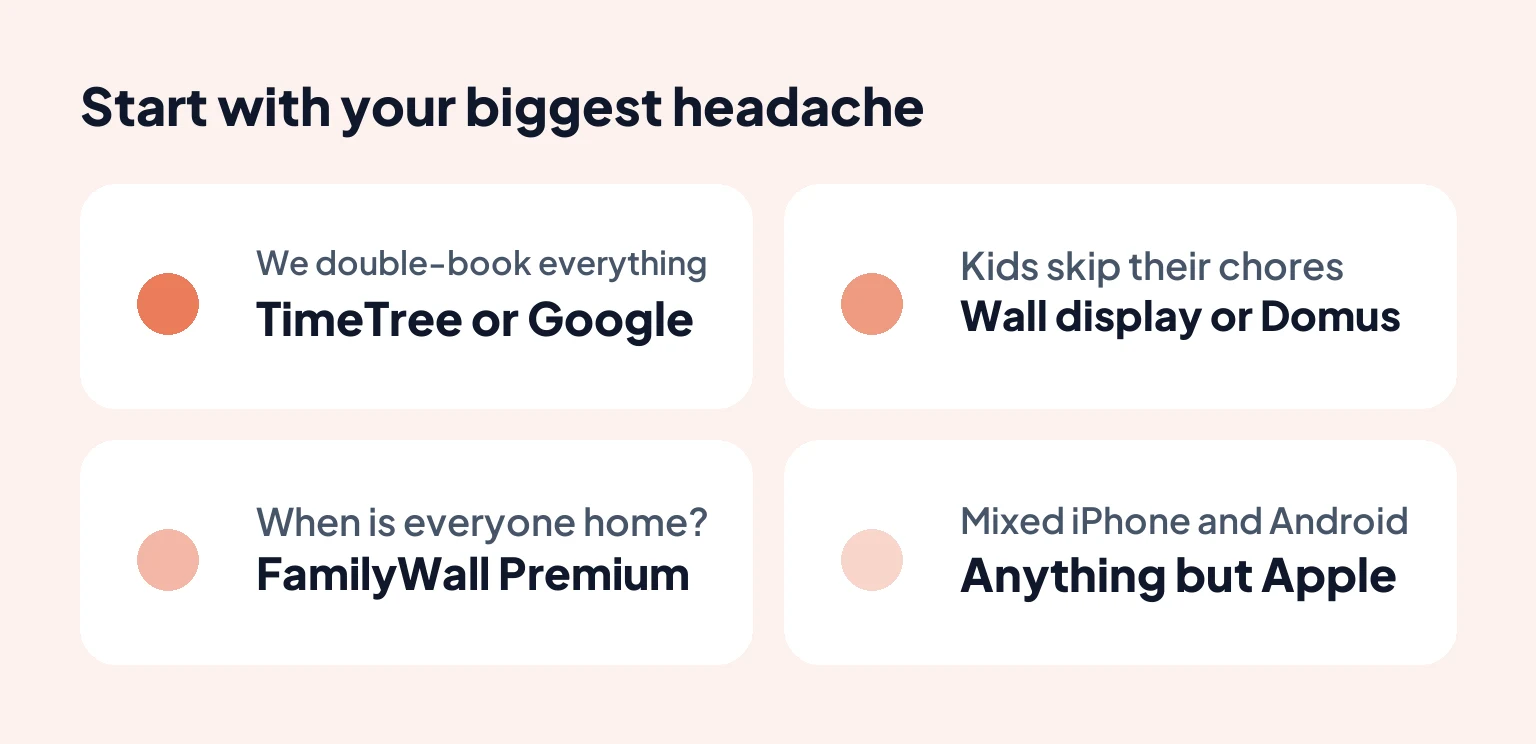
How to choose: match the app to your biggest headache
The right family planner app for you is usually the one that fixes whatever goes wrong most often, even if it has fewer features than the rest.
"We double-book everything." Your problem is the calendar. Start with TimeTree, or a Google family calendar if you're already in Google. Cozi works too if 30 days ahead is enough or you'll pay for Gold. Our guide to setting up a shared family calendar covers how to get everyone actually using it.
"Nobody knows what's for dinner or what we need from the store." Look at the apps with a shared grocery list and a meal planner: AnyList, Cozi, or Domus for the current week.
"The kids don't do their chores." You need assigned chores they can check off. The wall displays and Domus are strongest here, though in Domus repeating chores and kids mode are part of Plus. Cozi's simpler chore lists repeat for free. Pair the app with age-appropriate jobs; our list of chores for kids by age is a good place to start.
"One of us works shifts." Any calendar can handle a fixed weekly shift as a repeating event. Rotations like 4-on-4-off or 2-2-3 don't fit a weekly repeat, and Domus has a work schedule feature built for them (free for this week and next, every week ahead with Plus). Otherwise you'll be adding those shifts by hand or as a separate calendar.
"I want to know when everyone gets home." FamilyWall Premium is the only dedicated family organizer app here with location sharing built in. All-iPhone families can use Find My instead.
"We're mixed iPhone and Android." Skip Apple's Family Sharing. Everything else on this list works on both.
Getting your family to actually use it
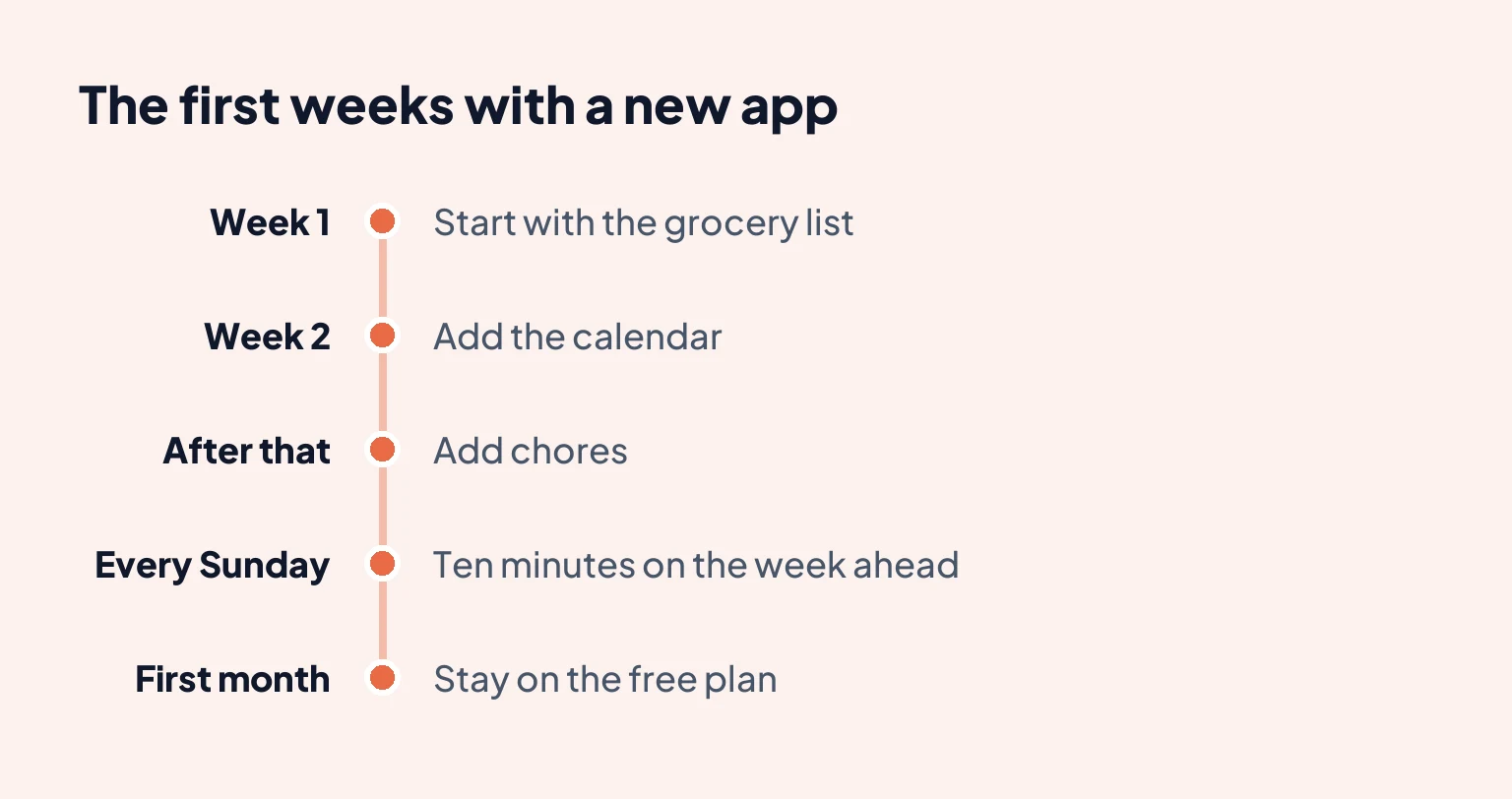
The app matters less than the first two weeks. A few things make the difference:
- Move one thing at a time. Start with the grocery list, because everyone benefits on day one. Add the calendar the next week and chores after that.
- Retire the old system. If the paper list stays on the fridge, half the family will keep using it. Take it down.
- Give everyone a color. Color-coding by person is the fastest way for a 9-year-old to find their own stuff.
- Do a Sunday check-in. Ten minutes, everyone at the table, looking at the week ahead in the app. That habit keeps a family organizer alive long after the novelty wears off.
- Use the free plan for a month before paying. Every app here has one, and a free family organizer app is enough for plenty of households. You'll know within a few weeks whether your family keeps opening it.
If you'd like to try Domus, the calendar, lists, chores and this week's meal plan are free, and you can invite the whole family from your phone.
Frequently asked questions
What is the best family organizer app?
It depends on what your family needs most. Cozi is the easiest shared calendar and grocery list to start with, FamilyWall suits families who want location sharing, TimeTree is the best pure shared calendar, and Domus fits households that want kids' chores and a weekly meal plan in the same place as the calendar.
Is Cozi still free?
Yes. As of November 2026, Cozi's free plan includes the shared calendar, lists, recipes and meal scheduling, with ads. Adding or viewing events more than 30 days ahead, the month view on mobile and an ad-free app need Cozi Gold, which Cozi lists at $39 a year.
Can Android and iPhone users share one family organizer app?
Yes, as long as you avoid Apple's built-in Family Sharing calendar, which only works on Apple devices. Cozi, FamilyWall, TimeTree, Domus and Google Calendar all run on both iPhone and Android.
What's the difference between a family organizer app and a shared calendar?
A shared calendar only handles dates. A family organizer app adds the things that happen between those dates: grocery and to-do lists, chores, meal plans and often messages, so the whole household works from one place.
Do kids need their own phone to be part of a family organizer app?
Not always. Some apps let you add a child as a profile that a parent manages, so you can assign them chores without giving them a login. Check this before you pick an app if your kids are under 10.