Monthly budget calculator
A single-person monthly budget with the common categories already in place.
- Free, no sign-up
- Prints on Letter or A4
- Stays on your device
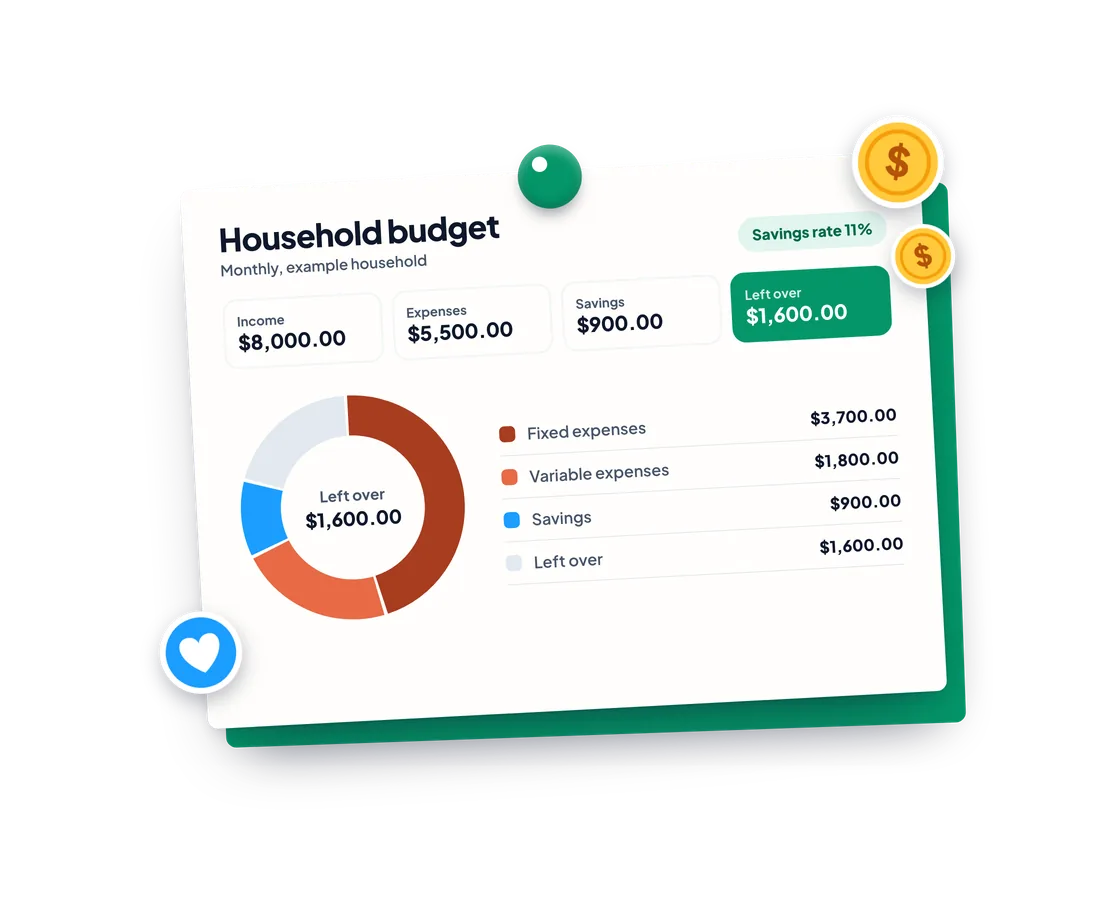
This is an example household. Change anything, or clear it to start your own.
Changing the currency changes the formatting only. Amounts are not converted.
Income
$3,500.00
$42,000.00 a year
Expenses
$2,480.00
$29,760.00 a year
Savings
$600.00
$7,200.00 a year
Left over
$420.00
$5,040.00 a year
Savings rate
17%
Income
Salary
Fixed expenses
Rent or mortgage
Utilities
Insurance
Phone and internet
Variable expenses
Groceries
Transport
Dining out
Entertainment
Savings
Emergency fund
Retirement
Where the money goes
- Fixed47%
- Variable24%
- Savings17%
- Left over12%
Monthly amount by line
- Rent or mortgage$1,300.00
- Utilities$150.00
- Insurance$100.00
- Phone and internet$80.00
- Groceries$400.00
- Transport$200.00
- Dining out$150.00
- Entertainment$100.00
- Emergency fund$300.00
- Retirement$300.00
50/30/20: a common rule of thumb
About 50% of income for needs, 30% for wants and 20% for saving. Here is how your fixed, variable and savings shares compare.
- Fixed (needs)47% · target 50%On track
- Variable (wants)24% · target 30%On track
- Savings17% · target 20%Under
This is a rule of thumb for thinking, not financial advice. Every household is different.
Your draft is saved on this device only.
Monthly household budget
| Line | Amount | How often | Per month |
|---|---|---|---|
| Income | |||
| Salary | $3,500.00 | Monthly | $3,500.00 |
| Fixed expenses | |||
| Rent or mortgage | $1,300.00 | Monthly | $1,300.00 |
| Utilities | $150.00 | Monthly | $150.00 |
| Insurance | $100.00 | Monthly | $100.00 |
| Phone and internet | $80.00 | Monthly | $80.00 |
| Variable expenses | |||
| Groceries | $400.00 | Monthly | $400.00 |
| Transport | $200.00 | Monthly | $200.00 |
| Dining out | $150.00 | Monthly | $150.00 |
| Entertainment | $100.00 | Monthly | $100.00 |
| Savings | |||
| Emergency fund | $300.00 | Monthly | $300.00 |
| Retirement | $300.00 | Monthly | $300.00 |
- Income
- $3,500.00
- Expenses
- $2,480.00
- Savings
- $600.00
- Left over
- $420.00
Everything runs in your browser. Nothing you enter is sent anywhere.
Your budget is ready. Want to track it through the month?
Domus tracks your household's budget as it happens, together.
- PlusA shared household budget with recurring entries
- PlusAccounts and monthly and yearly reports
- PlusSnap a receipt to log it



How to use it
Enter your income lines and pick how often each one is paid: weekly, every 2 weeks, twice a month, monthly, quarterly or yearly.
Fill in your fixed, variable and savings lines, then add, rename or remove lines to match your household. Pick your currency at the top.
Read the monthly totals, what is left over, your savings rate and the charts, then print the report or download the spreadsheet.
Examples
Living alone on one salary
Rent, utilities, a phone plan and groceries come first. Enter them as monthly lines and see how much of your pay is left before you decide what to save.
Paid every 2 weeks
Set your income line to Every 2 weeks and the calculator turns it into a monthly amount, so it lines up with monthly rent and bills.
Saving for a goal
Add a savings line for the goal, such as a trip or a deposit, and watch your savings rate and the amount left over change as you adjust it.
A one-person budget is simpler than a household one: one income, fewer shared bills and a clear savings target.
Start from what is left after the fixed bills, then decide how much goes to saving.
Frequently asked questions
How do I turn biweekly pay into a monthly amount?
Pick Every 2 weeks on the income line. Biweekly pay comes 26 times a year, so the calculator multiplies by 26 and divides by 12. That is slightly more than two paychecks a month, because two months a year contain a third paycheck. Weekly pay uses 52 divided by 12, and twice a month uses exactly 2.
What is the 50/30/20 rule?
It is a common rule of thumb that suggests about 50% of income for needs, 30% for wants and 20% for saving. The calculator compares your fixed, variable and savings shares with those targets. It is a starting point to think with, not financial advice, and plenty of households reasonably land elsewhere.
What counts as fixed and what counts as variable?
Fixed expenses are about the same every period and are hard to change in the short term: rent or mortgage, insurance, utilities, phone and childcare. Variable expenses move with your choices: groceries, transport, dining out and entertainment. If a cost sits in between, put it where it behaves most like your own bills.
How do I budget for yearly or irregular bills?
Add the bill as a yearly line, or quarterly if that is how it arrives. The calculator divides it into a monthly amount, which is what you would set aside each month in a sinking fund so the bill is already covered when it lands.
Is my data stored or uploaded?
Nothing is uploaded. The calculator runs in your browser and saves your draft on this device only, so it is still there when you come back. Use the Clear button to remove it.
Does changing the currency convert my amounts?
No. There is no currency conversion. Changing the currency only changes how amounts are formatted, so 1,000 stays 1,000 in whichever currency you pick.
What if I have no income entered?
The calculator still adds up your spending and savings. It cannot show shares of income or a savings rate without income, so those stay empty instead of dividing by zero.
Is this financial advice?
No. It is a calculator for planning. It does not know your debts, taxes or goals, and the 50/30/20 rule is only a common rule of thumb.
How much of my income should I save?
There is no single right number. Enter your own and the calculator shows your savings rate. The 50/30/20 rule of thumb suggests about 20%, but it is only a starting point.
How do I build a monthly budget on my own?
List your income, then your fixed bills, then the variable spending you choose, then what you save. The calculator keeps the totals and shows what is left.
What if my income changes from month to month?
Enter a cautious figure, such as your lowest typical month, so the budget holds up in a slow month. Anything extra is a bonus you can save.
Is my budget saved or shared?
It stays on your device. Nothing is uploaded, and the Clear button removes it.
More free tools and guides
Keep it going with your household
Domus is the shared family organizer behind these tools. Download it free on iOS and Android.